
How it works
Three commands. Then your agents keep it current.
Nexarch connects to the coding agents you already use.
The three commands
Step 1
Connect Nexarch
npx nexarch@latest setupYour terminal
Signs you in if needed, configures every detected MCP client (Claude Desktop, Claude Code, Cursor, Codex CLI), writes agent instructions into the current directory, and registers this agent. Its identity is captured in the next step.
Step 2
Identify your agent
Please run 'npx nexarch@latest init-agent'Via your agent
Completes the identity handshake so Nexarch records the real provider, model and client it governs. If it offers to write instructions into the repository, it asks you first.
Step 3
Register this project
Please run 'npx nexarch@latest init-project'Via your agent
Run in the repository. Scans the repository, resolves dependencies, registers the project and proposes its applications for review. Registration finishes when the agent runs the enrichment steps the command returns.
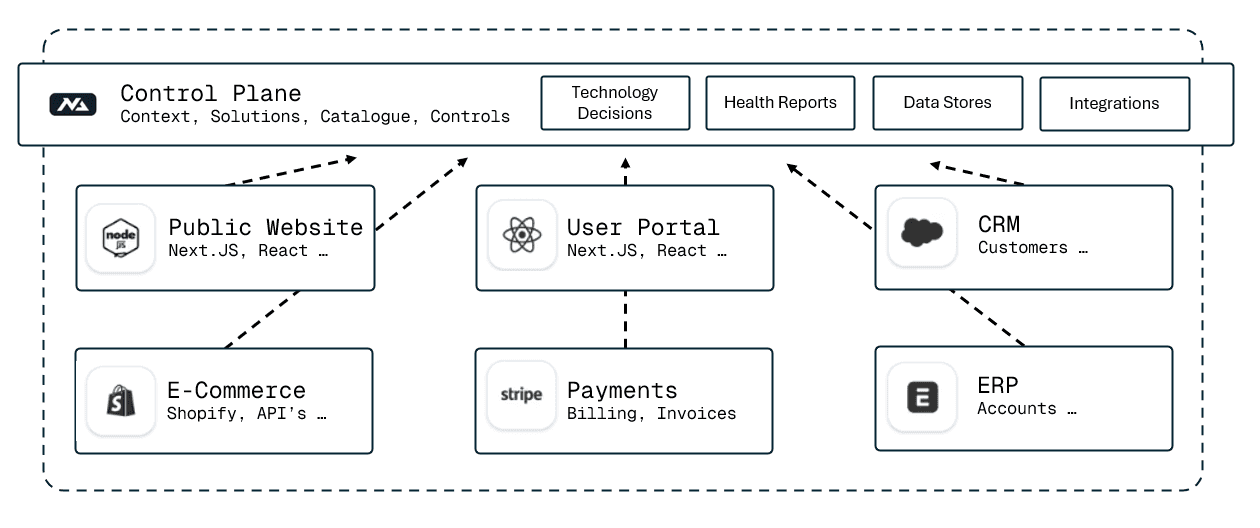
Then: every session starts with a governance summary; every new build starts with a graph check; every decision is recorded as it is made. The instructions Nexarch writes into your repository tell the agent exactly when to do each.
Closed beta
Closed beta. Onboarding teams now.
Tell us about your team and what you'd want Nexarch to prove. Requests are reviewed by a person, usually within two business days. Workspaces shine with several engineers, so bring colleagues.